1. Login
HR starts a reference letter process by sending an automatic email to the line manager.
The line manager can log in the reference letter tool via the link that is sent by email.
2. Start an evaluation process
After log-in via the link, you will get directly into the correct certificate case and can start with the evaluation. (continue with 3. Specification of main tasks)
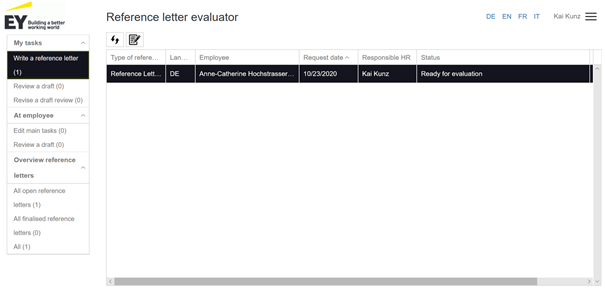
With a click on the logo on the left side you will get to the main page where you will find an overview of all reference letters assigned to you in the corresponding status.
You can select a reference letter by clicking the individual filters on the left.
Highlight a required name and navigate by the available icons. The icons change depending on the status of reference letters.
A new reference letter to be evaluated, for example, can be found under the «Write a reference letter” filter. Select an employee and start the evaluation process. The action, that is accomplished through an icon, will pop up by positioning a mouse pointer to individual icons.
Important: An employee has to be selected (clicked) in order to enable an action.
3. Specification of main tasks
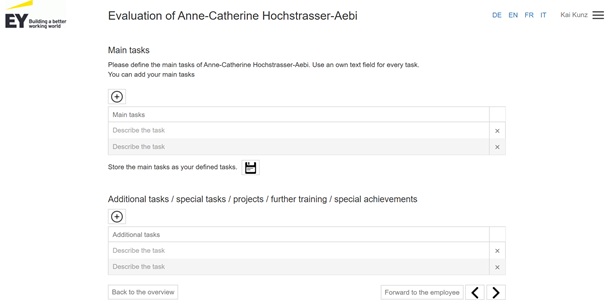
Enter the main tasks here and use a separate line for each main task.
You can add new lines by clicking on "+".
Main tasks, that will be repeatedly used, can be saved (disc Icon) to enable you to apply them again for future reference letter processes.
You can also forward the entry of the main tasks to the employee by clicking on "Forward to the employee".
4. Evaluation
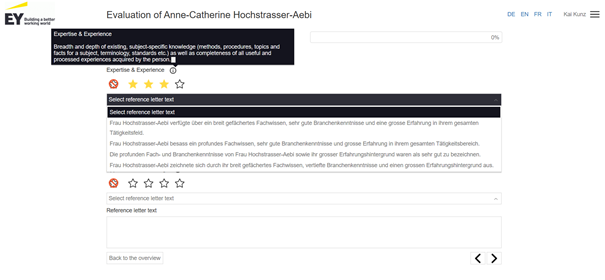
Carry out the evaluation by clicking on the appropriate star and then selecting a text.
Do this for all of the criteria.
By positioning the cursor on the information icon, you can see the definition of the criteria
5. Completing the evaluation
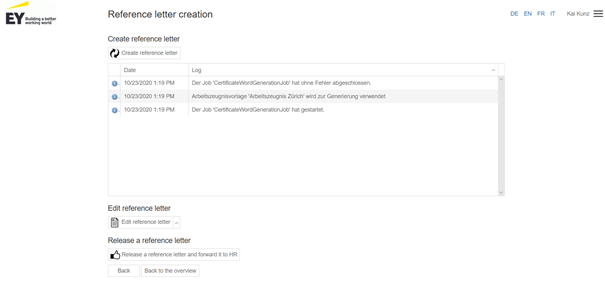
After the evaluation, click on “Create reference letter”. This will create the Word document.
By clicking on «Edit reference letter”, you can open the Word document, which you can edit. Save the document (ctrl + s or disc icon. Important: never save the document locally!) and close the Word document.
By clicking on “Release a reference letter and forward to HR”, you close the process for yourself for the time being and HR will continue.